

AI in the preschool classroom
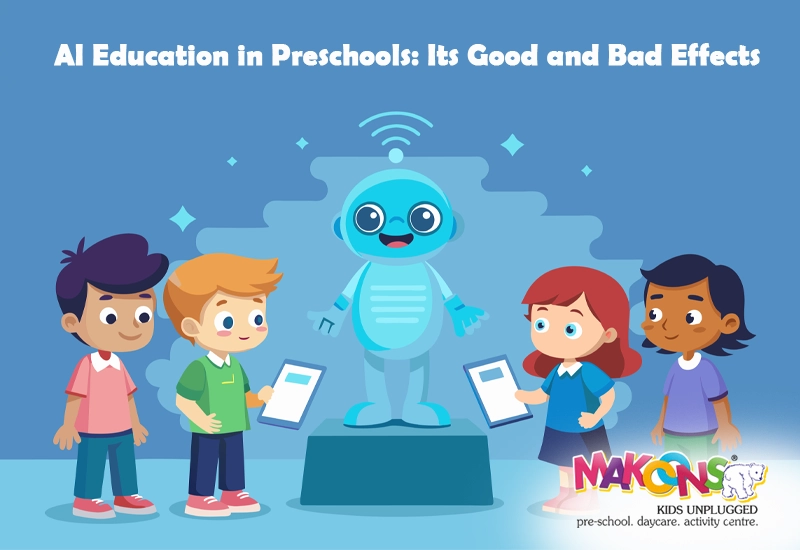
AI is showing up in preschools through adaptive apps and voice-activated toys. It is normal to worry about how this affects a child's development or if software might push out teachers. We should look at these tools as additions to the classroom, not replacements for the people running them.
Let’s be clear: AI is not intended to replace teachers. The human connection, the ability to respond to individual emotional needs, and the fostering of social skills are things AI simply cannot replicate. Instead, think of AI as a tool – one that, when used thoughtfully, can enhance the learning experience. It has the potential to personalize education, making it more accessible and engaging for all children.
The benefits are intriguing. AI can adapt to a child’s pace, providing customized learning paths. It can offer accessibility features for children with diverse learning needs. And it can present information in interactive and stimulating ways. But with these possibilities come responsibilities. We need to approach AI integration with caution, prioritizing safety, developmental appropriateness, and the overall well-being of our youngest learners. This guide aims to provide a framework for doing just that.
This isn’t about fearing technology; it’s about understanding it and harnessing its power responsibly. We’ll explore what AI actually is in the context of early childhood, look at currently available tools, and most importantly, discuss how to ensure these tools are used safely and effectively. The goal is to empower parents and educators to make informed decisions about incorporating AI into the preschool experience.
How AI works for young learners
The term "artificial intelligence’ can sound intimidating, conjuring images of robots and futuristic scenarios. But in the context of early childhood education, AI is much more subtle. It refers to the ability of computers to perform tasks that typically require human intelligence, such as learning, problem-solving, and recognizing patterns. It"s less about replicating human thought and more about automating processes and personalizing experiences.
Two key concepts to understand are machine learning and adaptive learning. Machine learning is how AI systems improve over time. They analyze data, identify patterns, and adjust their responses accordingly. Adaptive learning is a specific application of machine learning where the system adjusts the difficulty or content based on a child’s performance. For example, an AI-powered math app might present easier problems if a child is struggling and more challenging ones if they’re excelling.
Speech recognition lets kids talk to their apps, which helps those who can't read yet. Other tools use the camera to identify objects in the room. These aren't magical features; they are just math and data. If the data is poor, the tool won't work well.
A common misconception is that AI is sentient or has consciousness. This isn’t true. Current AI systems are not capable of independent thought or feeling. They operate based on pre-programmed rules and patterns. They are tools designed to assist, not replace, human interaction and guidance. Understanding this distinction is crucial for responsible implementation.
Currently Available Tools: A Snapshot
The market for AI-powered educational tools for preschoolers is growing rapidly. These tools fall into several broad categories. Literacy apps often use speech recognition to help children practice phonics and reading skills. Some apps adjust the difficulty level based on a child’s progress, providing personalized support. Others offer interactive storybooks with AI-generated illustrations.
Math games are another popular category. Many of these games use adaptive learning algorithms to tailor the challenges to a child’s skill level. They might start with simple counting exercises and gradually introduce more complex concepts like addition and subtraction. Look for apps that focus on building conceptual understanding, not just rote memorization.
Creative tools are also emerging. Some apps use AI to assist with art creation, allowing children to generate images or animations based on their drawings or voice commands. These tools can encourage experimentation and self-expression, but it's important to balance them with traditional art materials. There are also tools designed to support coding skills, introducing basic programming concepts in a playful way.
Examples of companies in this space include Homer, which offers personalized learning paths for early literacy and math; ABCmouse, known for its comprehensive curriculum; and Khan Academy Kids, a free app with a wide range of educational activities. It’s important to note that this is just a snapshot of what’s currently available. New tools are being developed all the time. This isn't an endorsement of any specific product, but rather an illustration of the types of features being offered.
Data privacy and security
The use of AI-powered tools raises important concerns about data privacy and security. These tools often collect data about children’s learning patterns, preferences, and even personal information. This data can be vulnerable to misuse or unauthorized access. Protecting children’s privacy is paramount.
The Children’s Online Privacy Protection Act (COPPA) is a federal law that governs the online collection of personal information from children under 13. COPPA requires websites and apps to obtain verifiable parental consent before collecting, using, or disclosing a child’s personal information. It also gives parents the right to review and delete their child’s data. Understanding COPPA is the first step in protecting your child’s privacy.
When evaluating AI-powered tools, carefully read the privacy policy. What data is being collected? How is it being used? Is it being shared with third parties? Look for tools that minimize data collection and provide clear and transparent information about their privacy practices. Strong security measures, such as encryption and data anonymization, are also essential.
Parental controls are another crucial layer of protection. Many devices and platforms offer features that allow parents to restrict access to certain apps, monitor their child’s online activity, and set time limits. Take advantage of these controls to create a safe and secure digital environment. Regularly review your child’s app usage and talk to them about online safety. Choose apps that have been vetted by trusted sources and offer robust privacy settings. Transparency from app developers is key – they should clearly explain their data collection practices in plain language.
- Read the privacy policy to see exactly what data the company keeps.
- Turn on parental controls to limit which apps your child can open.
- Choose Vetted Apps: Select apps from trusted sources.
- Discuss Online Safety: Talk to your child about responsible technology use.
Developmental Appropriateness: What Works?
Not all AI tools are equally beneficial for preschoolers. It’s crucial to align AI-powered activities with their developmental stages and learning needs. At ages 3-5, children are primarily focused on developing foundational skills such as language, social-emotional regulation, and gross motor skills. Technology should support these skills, not overshadow them.
Activities that encourage creativity, problem-solving, and social interaction are particularly valuable. AI-powered tools can be used to enhance these activities, but they should never replace hands-on experiences. For example, an AI-assisted art app can be a fun supplement to traditional painting, but it shouldn’t be used as a substitute for exploring colors and textures with real paint and brushes.
Avoid activities that are overly stimulating or require prolonged screen time. Excessive screen time can have negative effects on children’s attention, sleep, and social-emotional development. Focus on tools that promote active learning and engagement, rather than passive consumption. Look for apps that encourage children to move around, interact with others, and express themselves creatively.
Play-based learning remains the cornerstone of preschool education. AI tools should be integrated into play-based activities, not used as standalone instructional tools. For instance, an AI-powered storybook app can be used as part of a dramatic play session, encouraging children to retell the story and act out the characters. Prioritize experiences that foster imagination, curiosity, and a love of learning.
Teacher & Parent Roles: Guiding the Experience
AI tools are most effective when used with adult guidance. Teachers and parents play a crucial role in helping children navigate these tools and make the most of their learning potential. Co-viewing apps with children is a great way to facilitate learning and address any questions or concerns they may have.
Ask open-ended questions to encourage critical thinking. Instead of simply asking “Did you get the answer right?”, ask “How did you solve that problem?” or “What did you learn from that activity?”. Encourage children to explain their thinking and reflect on their learning process. Use AI tools to supplement, not replace, traditional activities. For example, use an AI-powered literacy app to reinforce concepts taught in the classroom or during story time.
Modeling healthy technology habits is also essential. Limit your own screen time and demonstrate responsible technology use. Talk to your child about the importance of balancing screen time with other activities, such as playing outdoors, reading books, and spending time with family and friends. Educators can identify potential biases within AI tools. Algorithms are built by people, and those people have inherent biases.
Teachers can also use AI-powered tools to personalize learning experiences for individual students. By tracking student progress and identifying areas where they’re struggling, teachers can use AI to provide targeted support and interventions. However, it’s important to remember that AI is just one tool in the teacher’s toolkit. It should be used in conjunction with other assessment methods and professional judgment.
Resources & Further Reading
Staying informed about the latest developments in AI and early childhood education is essential. Several reputable organizations offer valuable resources for parents and educators. The National Association for the Education of Young Children (NAEYC) provides research-based information and professional development opportunities.
Edutopia () offers a wealth of articles and videos on technology integration in early childhood education. The online.smsu.edu website provides specific information on EdTech in Early Childhood and safe technology use in preschool.
Clear Touch () offers resources related to interactive displays and educational technology for the classroom. Explore these resources to deepen your understanding of AI and its potential applications in early childhood education. Continuous learning and critical evaluation are key to navigating this rapidly evolving landscape.
Remember to always prioritize the well-being of children and make informed decisions based on their individual needs and developmental stages. By working together, parents and educators can harness the power of AI to create enriching and engaging learning experiences for all preschoolers.
Resources for Exploration
- NAEYC (National Association for the Education of Young Children) - Offers resources and position statements on technology and digital media use with young children, emphasizing developmentally appropriate practices.
- PBS KIDS Games App - Provides a variety of educational games featuring popular PBS characters, designed to support early learning in areas like math, reading, and social-emotional development.
- Common Sense Media - A non-profit organization providing age-based media reviews and advice for parents and educators, including ratings for educational apps and games.
- Zero to Three - Offers resources focused on the healthy development of infants and toddlers, including information about the impact of screen time and strategies for mindful media use.
- Developmentally Appropriate Practice in Early Childhood Programs Serving Children from Birth Through Age 8 (NAEYC, 2020) - A foundational resource outlining principles for effective early childhood education, including considerations for integrating technology.
- Mind in the Making: The Seven Essential Life Skills Every Child Needs by Ellen Galinsky - Explores the cognitive, emotional, and social skills crucial for success in the 21st century, providing a framework for understanding how technology can support these skills.
- Articles on AI in Education from Education Week - Education Week regularly publishes articles covering the emerging trends of AI in K-12 and early childhood education, offering insights from educators and researchers.
No comments yet. Be the first to share your thoughts!