

AI in the preschool playground
AI is part of our daily routine, from Netflix queues to Alexa. Now it's moving into preschools. I understand the hesitation—screen time and cognitive development are serious concerns that we need to address directly.
I'm not suggesting we replace teachers with robots. By 2026, AI tools will be standard in classrooms. We should look at how these tools can help kids explore science and math without just staring at a screen. The goal is to give teachers better ways to spark curiosity.
Think of AI not as an instructor, but as a very adaptable assistant. It can personalize learning experiences, offer immediate feedback, and unlock new ways to engage young children with science, technology, engineering, and mathematics. We'll focus on activities that build foundational skills, spark curiosity, and prepare children for a future where AI literacy will be increasingly important. It's about preparing them to be creators, not just consumers, of technology.
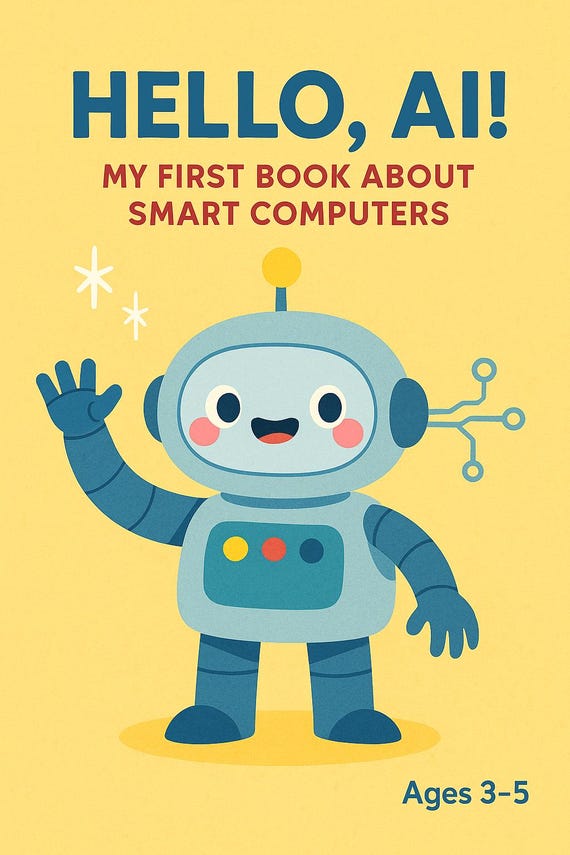
15 activities for early learners
These 15 activities focus on the logic behind the tech. I've included the target age and how to actually run these in a classroom or at home.
1. Adaptive Storytelling: Several platforms now offer AI-powered storytellers that adjust the narrative based on a child’s responses. These tools, like those being developed by Curious Labs, promote literacy and computational thinking as children influence the story’s direction. Best for ages 3-5. Implementation: Use during circle time or as a one-on-one activity, encouraging children to make choices and predict what happens next.
2. Visual Coding Games: Apps like Kodable introduce coding concepts through visual blocks, and AI can personalize the difficulty level based on a child’s progress. This builds early coding skills and problem-solving abilities. Best for ages 4-5. Implementation: Set aside 15-20 minutes for coding exploration, encouraging children to experiment and debug their creations.
3. Virtual Science Experiments: While real-world experiments are invaluable, AI-driven virtual simulations (think simplified versions of lab environments) allow children to explore scientific concepts safely. These can cover topics like weather patterns or simple chemical reactions. Best for ages 4-5. Implementation: Use as a supplement to hands-on experiments, allowing children to test hypotheses and observe results in a controlled environment.
4. Shape & Pattern Recognition: AI-powered games that challenge children to identify and sort shapes and patterns enhance math and visual reasoning skills. Many educational apps incorporate this, but look for those that adapt to the child's learning pace. Best for ages 3-4. Implementation: Integrate into daily routines, like identifying shapes during snack time or creating patterns with building blocks.
5. AI-Assisted Music Composition: Platforms are emerging that allow children to create simple melodies and rhythms with AI assistance. This fosters creativity and introduces mathematical concepts like tempo and rhythm. Best for ages 4-5. Implementation: Use as a creative outlet, encouraging children to express themselves through music.
6. AI-Powered Art Creation: While not strictly STEM, AI art tools can encourage exploration of color, shape, and design, which are all foundational to engineering and design thinking. Best for ages 3-5. Implementation: Use as a free-play activity, allowing children to experiment with different styles and techniques.
7. Personalized Math Games: AI can assess a child’s understanding of basic math concepts (counting, addition, subtraction) and provide tailored practice exercises. Best for ages 4-5. Implementation: Use as a supplemental learning tool, focusing on areas where the child needs extra support.
8. AI-Driven Nature Identification: Apps that use image recognition to identify plants and animals can spark curiosity about the natural world and introduce scientific classification. Best for ages 4-5. Implementation: Take a nature walk and use the app to identify what you find.
9. AI-Enhanced Story Problem Creation: AI can generate simple story problems tailored to a child’s interests, helping them develop problem-solving skills. Best for ages 5. Implementation: Use as a challenge activity, encouraging children to work through the problems independently or with a partner.
10. AI-Supported Building Challenges: Use an AI-powered camera (some are emerging in the toy market) to scan a building block structure and offer feedback on its stability or symmetry. Best for ages 3-5. Implementation: Integrate into building block play, encouraging children to experiment with different designs.
11. AI-Generated Riddles & Puzzles: AI can create age-appropriate riddles and puzzles that challenge children’s critical thinking skills. Best for ages 4-5. Implementation: Use as a brain-teaser activity, encouraging children to work together to solve the puzzles.
12. AI-Powered Vocabulary Builders: These tools use adaptive learning to introduce new words and reinforce vocabulary skills. Best for ages 3-5. Implementation: Incorporate into reading activities, encouraging children to use new words in their own sentences.
13. AI-Assisted Drawing Prompts: AI can provide creative drawing prompts, encouraging children to use their imagination and develop fine motor skills. Best for ages 3-5. Implementation: Use as a free-play activity, allowing children to explore their creativity.
14. AI-Driven Virtual Field Trips: Although still evolving, AI can create immersive virtual field trips to museums, zoos, and other educational destinations. Best for ages 4-5. Implementation: Use as a supplement to real-world field trips, or as a way to explore places that are inaccessible.
15. AI-Facilitated Questioning: Encourage children to ask “what if” questions, and use AI tools to explore potential answers. This fosters curiosity and scientific inquiry. Best for ages 4-5. Implementation: Dedicate time for open-ended questioning and exploration.
Enhancing building blocks
Traditional preschool STEM activities, like building with blocks, are already excellent opportunities for learning. AI can simply enhance these experiences. Imagine an AI-powered camera that recognizes the structure a child has built and provides feedback like, 'That’s a very tall tower! Do you think it will be stable?' or 'I see you used a lot of symmetrical shapes!'
This isn't about the AI judging the child's creation; it’s about prompting further exploration and critical thinking. It can also suggest new challenges: 'Can you build a bridge that can hold a small toy?' or 'Can you make a building with a specific number of blocks?' This type of interaction moves beyond free play and introduces elements of design and engineering.
Individual learning paths
One of the most promising aspects of AI in preschool is its ability to personalize learning. AI algorithms can assess a child’s understanding of a concept – for example, their ability to count to ten – and then provide tailored activities to reinforce that understanding. If a child struggles with counting, the AI might offer more practice with smaller numbers or use visual aids. If a child excels, it might present more challenging problems.
Currently, truly effective personalized learning platforms for preschoolers are still under development, and navigating data privacy is a crucial consideration. We need to be mindful of how student data is collected, stored, and used. Algorithmic bias is another concern – ensuring that AI systems are fair and equitable for all children, regardless of their background. It's vital to advocate for responsible AI development and implementation in early childhood education.
Tools for teachers
AI isn’t just for the children; it can also be a valuable tool for teachers. Preschool teachers are incredibly dedicated, but they often face overwhelming workloads. AI can help streamline tasks like lesson planning and assessment, freeing up time for more individualized attention to students.
AI tools can draft lesson plans or track which kids are struggling with counting. I've seen teachers use simple prompts to generate week-long curriculum outlines in minutes. These don't replace a teacher's intuition, but they do cut down on the paperwork that leads to burnout.
AI can also assist with differentiating instruction, creating customized learning materials for students with different needs. This is particularly helpful in preschool classrooms, where children have a wide range of developmental levels.
AI Tool Comparison for Preschool STEM Enhancement (2026)
| Tool Name | Primary Function | Ease of Use | Cost | System Integration |
|---|---|---|---|---|
| AIAcademics | Lesson Planning & Activity Generation | Medium | Paid | Limited |
| LearnlyPal | Personalized Learning Paths | High | Paid | Yes |
| STEMSpark AI | STEM Activity Suggestions & Content | Medium | Free/Paid Options | No |
| AssessAI | Developmental Assessment Support | Medium | Paid | Limited |
| DiffLearn | Differentiated Instruction Resources | High | Paid | Yes |
| StoryTime AI | Interactive Storytelling with STEM themes | High | Free/Paid Options | No |
| PlayBuild AI | Virtual Building & Design Challenges | Medium | Paid | Limited |
Illustrative comparison based on the article research brief. Verify current pricing, limits, and product details in the official docs before relying on it.
What's next for AI in class
The future of AI in preschool is full of possibilities. We can expect to see more sophisticated AI tutors that provide personalized instruction and feedback. AI-powered virtual reality experiences could transport children to different worlds and allow them to explore complex concepts in immersive ways. Personalized learning platforms will likely become more prevalent, adapting to each child’s unique learning style and pace.
Platforms like SnappySnug (snappysnug.com) are already focused on AI-driven child development, hinting at the direction things are heading. However, it’s important to remember that the future is uncertain. The key is to approach AI in preschool with a critical and thoughtful mindset, prioritizing the well-being and development of the children above all else. AI has the potential to transform early childhood education for the better, but it’s up to us to ensure that it’s used responsibly and ethically.
No comments yet. Be the first to share your thoughts!